For professional and aspiring novelists
An all-in-one novel writing application.
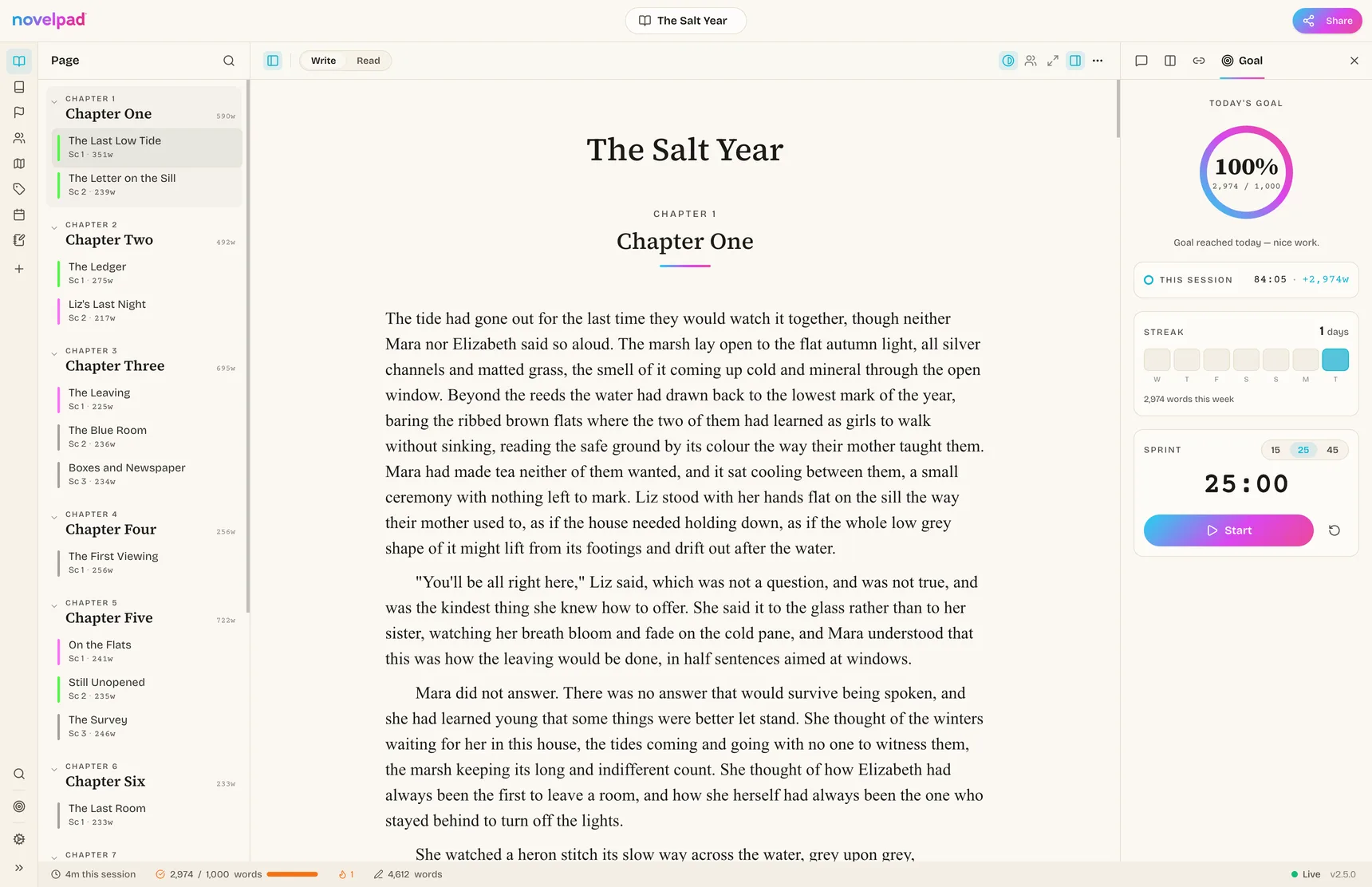
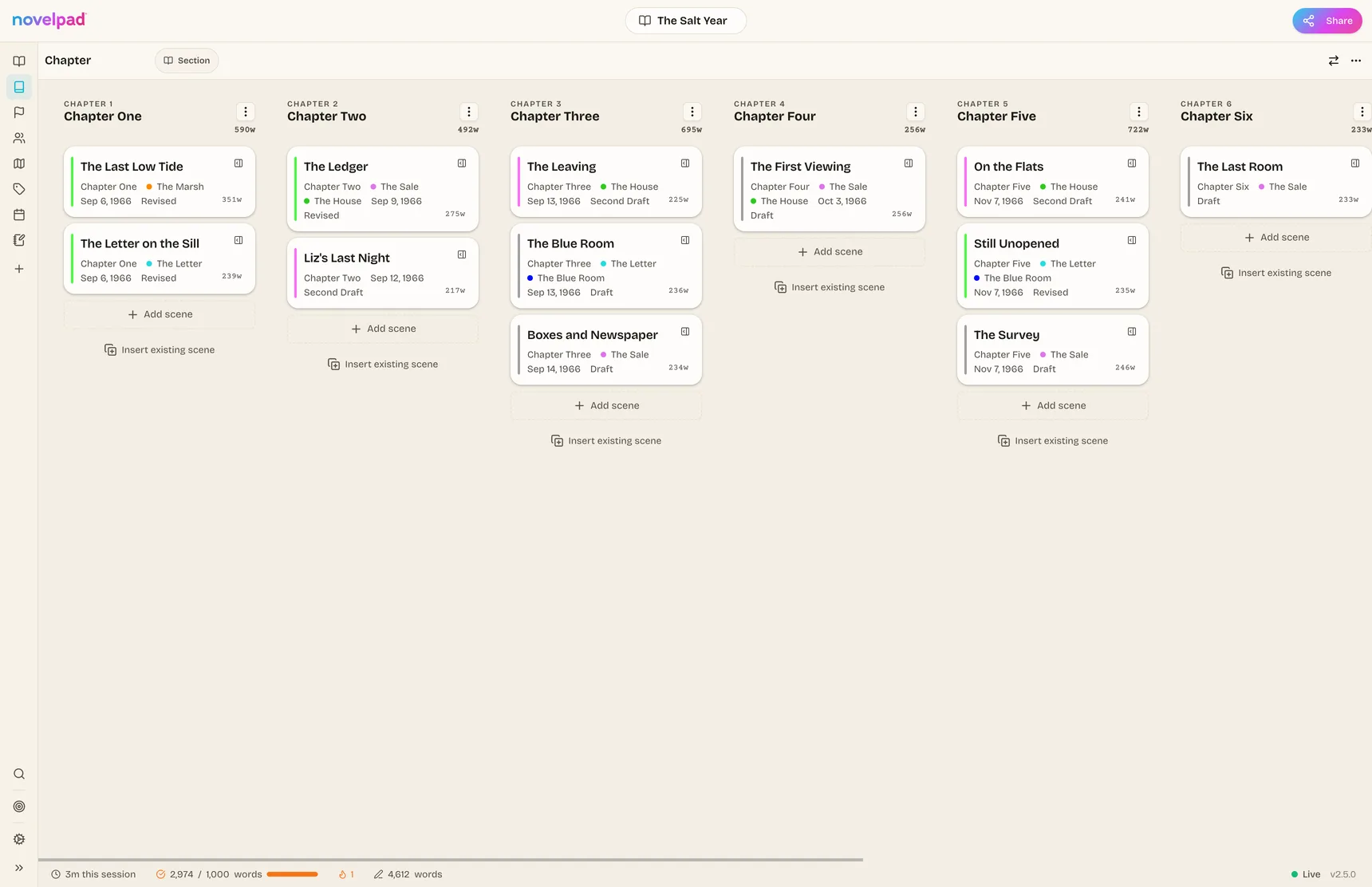
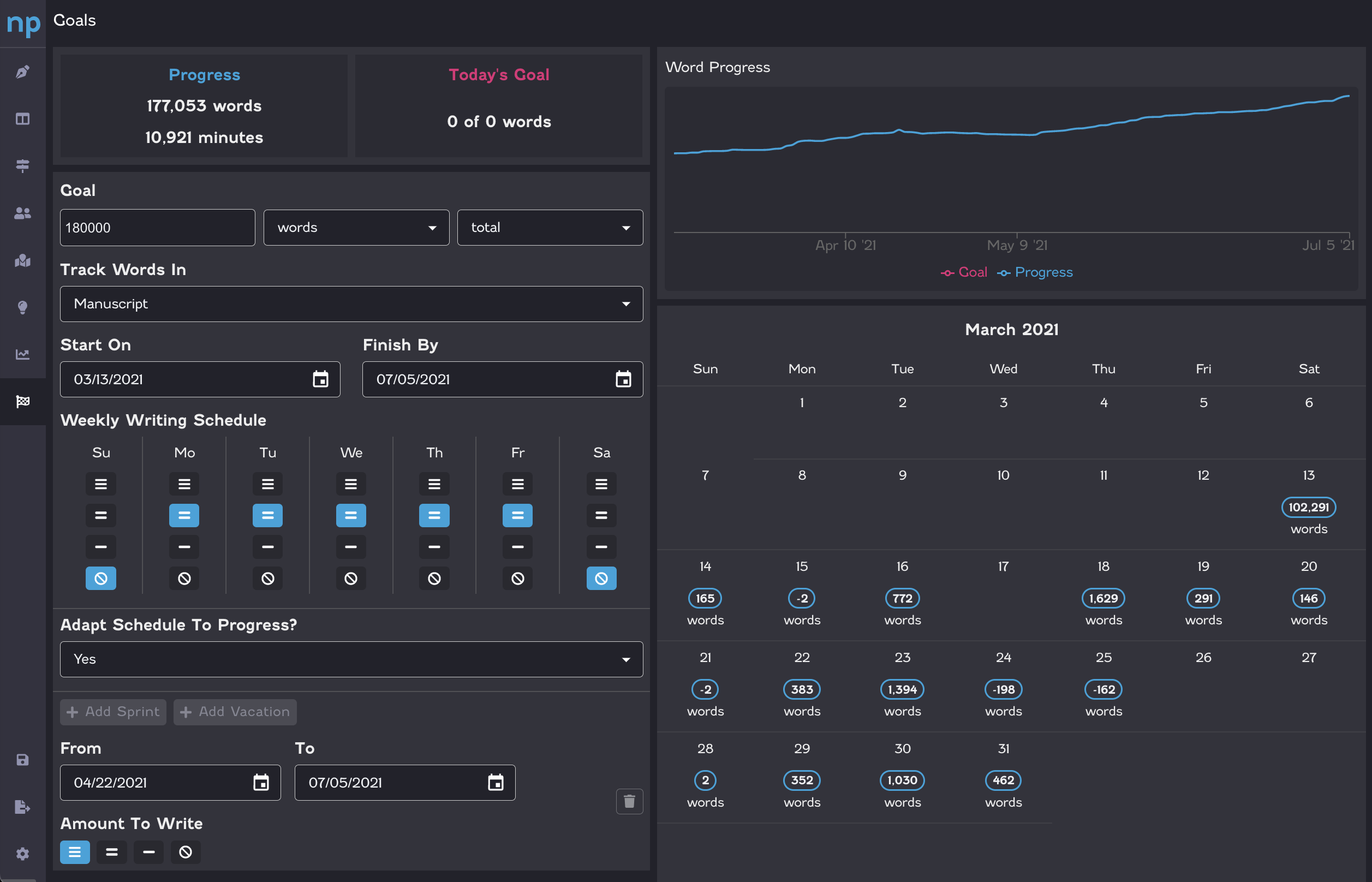
If you use index cards to layout your novel, then welcome home. Everything in NovelPad revolves around cards: layout, plots, locations, characters, timelines. It's simple, battle tested, efficient.
We have the digital index cards your brain never knew it needed.


 Join over 30,000 novelists on NovelPad since 2020.
*Fast. Free. We don't save a word unless you want us to.
Why we built it
novelpad in 90 seconds:
Dear Writer,
We built NovelPad with one primary goal in mind: the tool should adapt to the way you think, rather than force you to adapt to the tool.
When the tool mirrors what's in your head, it allows you to enter a flow state more quickly, so you spend more time writing and less time staring at a blinking cursor.
Everything builds on two concepts:
- Scenes are cards.
- Boards organize cards.
These simple building blocks allow you to see your novel on the screen in the same way you see it in your head.
For instance:
- You think of each plot line separately, but the manuscript mixes them all together. Laying out a plot board lets you read each plot in its own manuscript.
- You can envision what happens at a specific place, but the manuscript jumps between different places. Tagging your scenes with a location lets you read your manuscript at a single location.
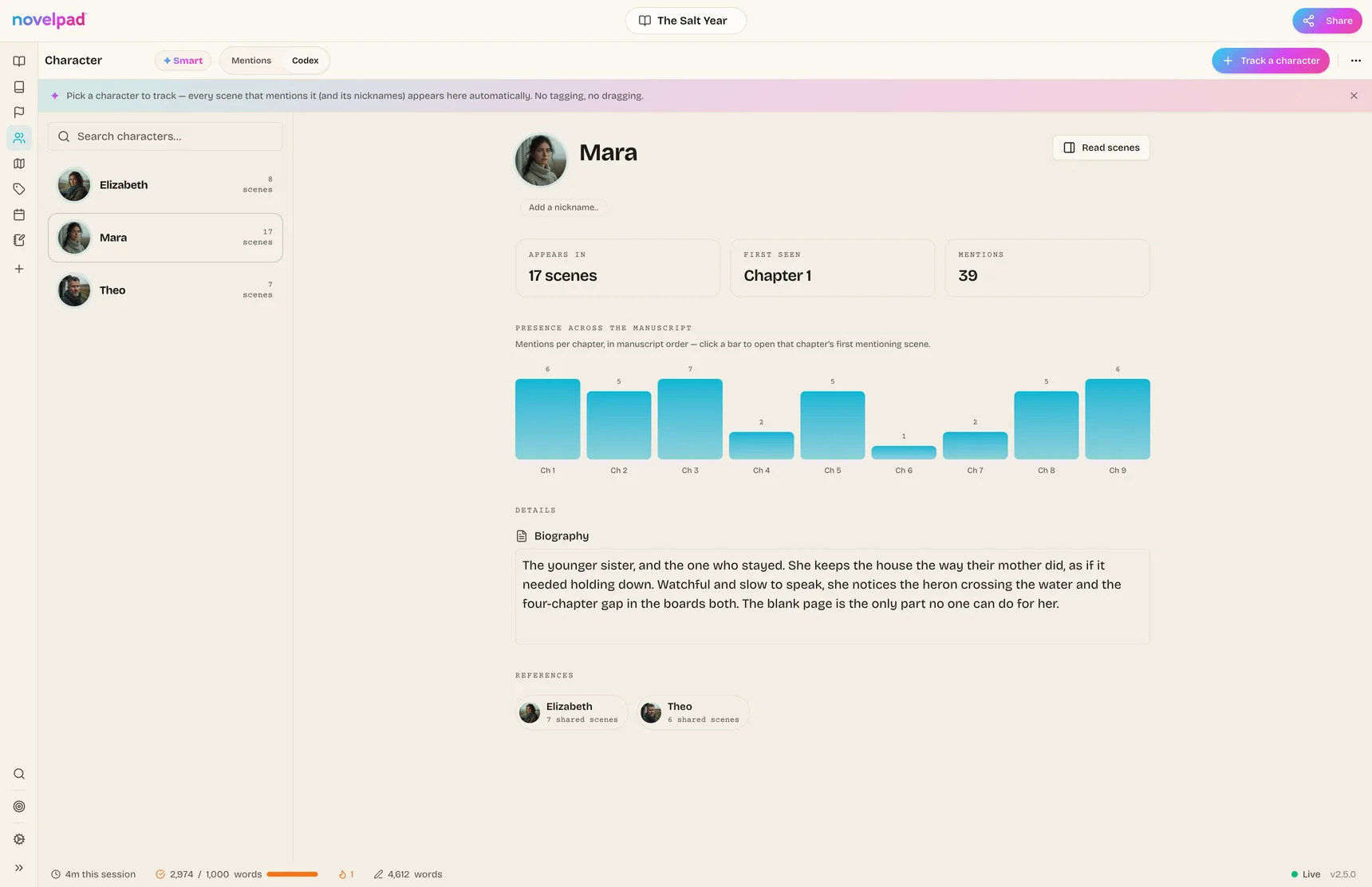
- Your characters enter and leave scenes all throughout your manuscript, but you think about what each character does in isolation. Filling out character sheets automatically fills in a board that lets you read your manuscript from each character's perspective.
NovelPad lets you do all of this by simply tagging your scenes with a plot or location, and then clicking a button at the top of a column in a board.
More importantly, looking at any of these boards gives you the big picture at a glance. Gaps emerge without having to think about it. Clarity helps your ideas flow. And when that happens, you're just one click away from jumping back into writing.
We hope you enjoy NovelPad as much as we do.
Happy writing!
Best,
Steve
FOUNDER
P.S. I'm almost always online in our Discord community. Stop by and say hi!
Built to take the pain out of writing
You write the story.
NovelPad handles the rest.
Forty thousand words in, writing gets complicated. Scenes move. Characters disappear for six chapters. Timelines drift. You come back after three weeks and spend half your session figuring out where you were.
NovelPad keeps all of that visible, connected, and recoverable, so you can spend less time managing your story and more time writing it.
01
See the whole story.
Wait, does this scene happen before or after the funeral? Why is Mara in Chapter 8 and then not again until Chapter 15?
Every scene lives on a card. See your novel by chapter, character, subplot, or timeline, and drag things around until the story feels right.
Move a scene and the rest stays connected.
Drag the scene. The book follows.
02
Know what to write next.
Wait... where was I? I had a plan for this chapter...
Open the board and the gaps are obvious. The unfinished scene is still unfinished. The dropped thread still looks dropped.
Come back tomorrow, or three weeks from now, and pick up where you left off.
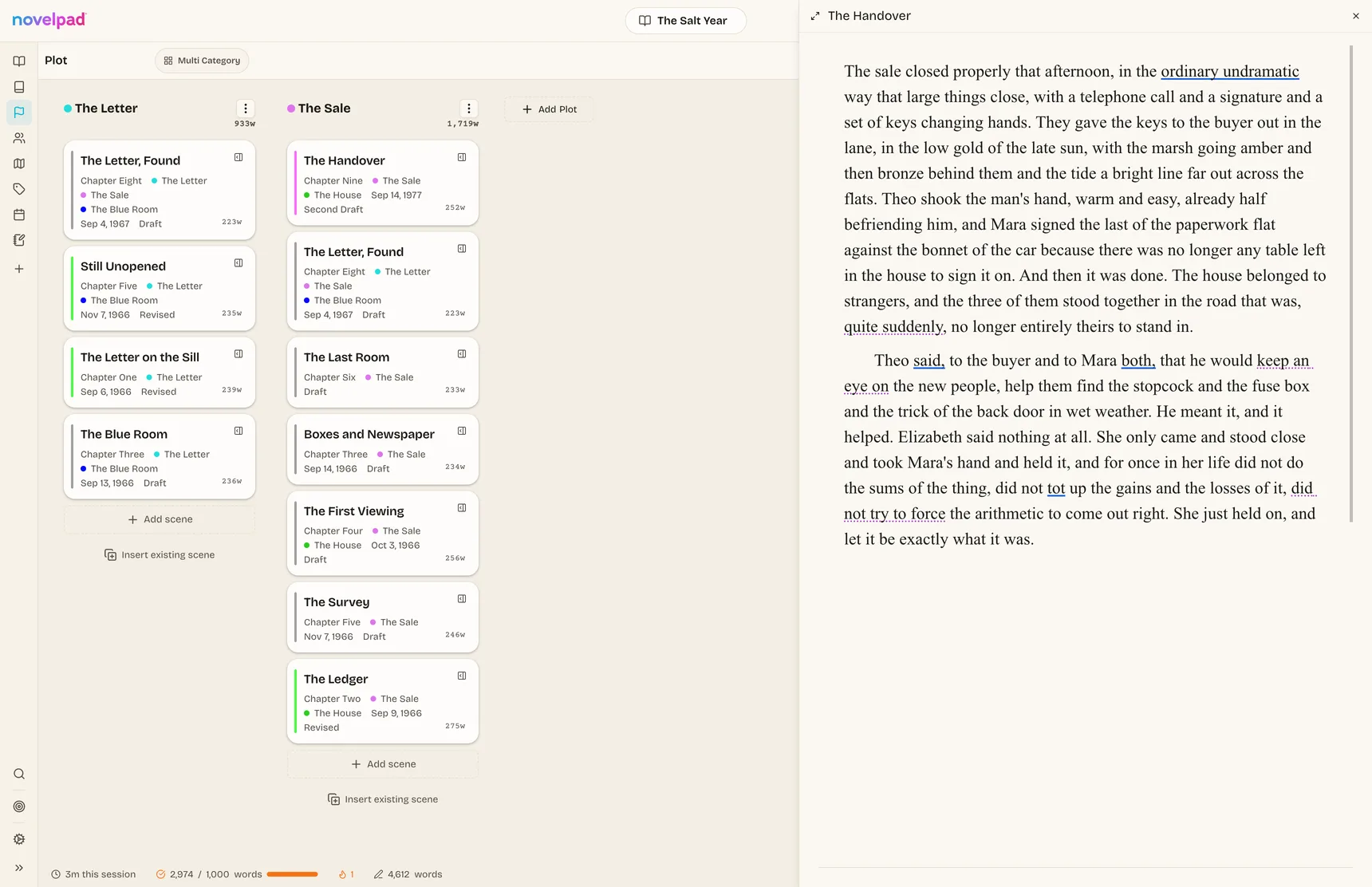
Your next move is already waiting.
03
Stop keeping the book in your head.
Who knows about the letter? How old is Elias? When did that subplot disappear?
Keep characters, notes, chapters, and timelines beside the manuscript instead of scattered across sticky notes and spreadsheets.
NovelPad carries the bookkeeping so you can carry the story.
The details are there when you need them.
04
Change anything without fear.
Oh no. I need that scene back. Which version was the good one? Please tell me I can undo this.
NovelPad saves as you write, even offline. Go back to an earlier version, compare drafts, or restore the chapter you were absolutely sure you didn't need.
Cut boldly. Your old words are still there.
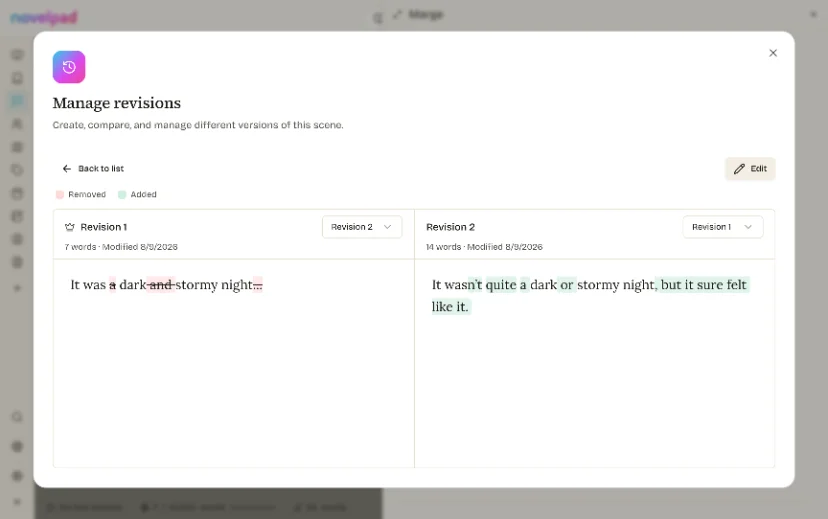
Nothing is ever really gone.
No card · No AI training · Bring your existing draft
Everything inside
All the little things that keep you writing.
You will use about four of these in your first week. Drag your draft in and the chapters are already there, so you can write on day one and find the rest when you need it.
No bots allowed
Your manuscript is not training data.
No AI reads your words, trains on them, or offers to write them for you. There's nothing to switch off, because there's nothing in here.
Your writing becomes your book, not somebody else's model. It's in the privacy policy, in plain English, and it isn't going to quietly change next quarter.
No signup, no card. It takes a minute, and nothing is saved unless you want it to be.
Try it with your own novel
See your book in NovelPad right now.
Drop in your Word file and watch it become chapters and scenes you can actually see and move around.
No signup. No card. Nothing saved unless you want it to be.
Your file stays on your device.
Writers who use it
Don't take our word for it.
Our writers say it better.
Straight from our Discord. Typos and all.
No signup, no card. It takes a minute, and nothing is saved unless you want it to be.
Pricing
Rent it while you write. Or own it forever from $89.
Rent it month to month and only pay while you're writing, or buy it once and own it for good. Fourteen days free first, no card.
- Everything, on desktop and web, while you're subscribed.
- Perfect for finishing one draft. Stop when it's done, restart when the next book starts.
- Pay once, own it for good. No renewals, no rent.
- The full app on Mac, Windows and Linux.
- Your book keeps working even if you stop paying us anything, forever.
The community
Not just writing software.
A support system.
NovelPad comes with a community of over 2,000 active writers who are in the middle of it too. Drop into the Writers' Lounge when you need a push. Work through writer's block. Test an idea. Join a writing exercise. Share a win. Get a critique. Find a collaborator. There's almost always someone around who gets it.
Questions
Okay, but what about…
Do I need to be online to write?+
No. The desktop app works completely offline, and everything syncs up the next time you connect.
Does any AI ever read my manuscript?+
No. Nothing reads your words, trains on them, or offers to write them for you. It's in the privacy policy, in plain English.
What happens to my writing if I stop paying?+
Your novels stay readable, and they export to clean Word files at any time, even after you stop paying.
Can I write on my phone?+
Yes. The web app is phone friendly, and your place in the manuscript follows you between devices.
I'm coming from Scrivener or Google Docs. How painful is the move?+
One drag. Export your draft as a Word file, drop it in, and your headings become chapters with the formatting intact.
How do I get my finished book out?+
Export to Word or EPUB whenever you like, formatted and ready for your editor, your beta readers, or the store.
What if NovelPad goes out of business?+
Fair question to ask a small company. Over 30,000 novelists have written in NovelPad since 2020, and the $89 desktop app is yours outright and runs on your own machine, with no sync and no cloud in the way. Your novels export to Word or EPUB at any time, so your book is never somewhere you can't reach it.